How to Use a Hardware Wallet With DeFi Safely
You can have both: the convenience of DeFi apps and the safety of keys that never leave a physical device. Here's how to pair a hardware wallet with DeFi so a single bad click can't ruin you.
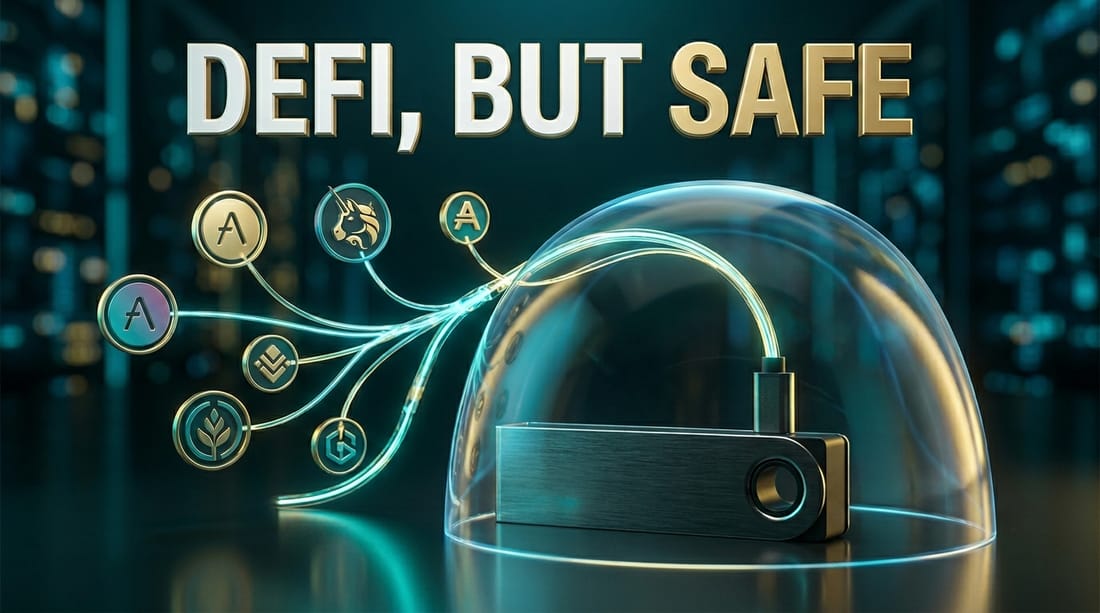
There's a myth that you have to choose: either you keep your crypto safely offline in cold storage and never touch DeFi, or you live dangerously in a hot wallet to use all the fun apps. The myth is wrong. You can have both — the rich world of DeFi and keys that never leave a physical device — and the combination is the gold standard for serious users.
The trick is understanding exactly what a hardware wallet protects you from, what it doesn't, and how to use it so that a single careless click can't wipe you out. Let's get it right.
How the pairing actually works
A hardware wallet (often called a cold wallet) is a small device that stores your private keys in a secure chip and never exposes them to your computer or the internet. On its own, it's a vault. But it can also connect to a software wallet interface — most commonly MetaMask — to interact with DeFi apps.
The magic is in the division of labor. MetaMask becomes just a window to the apps; it never holds your keys. When a DeFi app wants you to make a transaction — a swap, a deposit, an approval — the request travels to your hardware wallet, which displays the details on its own screen and waits. Nothing happens until you physically press the button on the device to confirm. The keys do the signing inside the secure chip and never come out.
This is why it's so powerful: even if your computer is riddled with malware, the attacker cannot move your funds. They'd need the physical device and your physical confirmation for every single transaction.
What it protects you from — and what it doesn't
Be crystal clear on this, because the gap is where people still get hurt.
A hardware wallet protects you from:
- Key theft. Malware, keyloggers, and compromised computers can't extract keys that never leave the device.
- Remote draining. No transaction executes without a physical button press, so no attacker can silently empty your wallet from afar.
- Autopilot mistakes. The mandatory physical step breaks the mindless clicking that wallet drainers depend on.
It does NOT protect you from:
- Approving a malicious transaction yourself. If you confirm a draining transaction on the device without reading it, the hardware faithfully signs your mistake. The device guards your keys, not your judgment.
The hardware wallet's screen exists for one reason: so you can verify what you're actually signing on a display that malware can't fake. If you press confirm without reading that screen, you've thrown away the single biggest benefit the device gives you.
The safe-DeFi workflow, step by step
Here's how to actually operate so the combination delivers its full protection:
Set up the device properly first. Buy from the official manufacturer (never second-hand or from a marketplace reseller — tampered devices are a real attack), and follow our walkthrough on setting up your first hardware wallet without the anxiety. Guard the seed phrase offline, on paper, always.
Connect the hardware wallet to MetaMask. Use MetaMask's built-in "connect hardware wallet" option. Now you can browse DeFi apps with MetaMask's convenience while your keys stay locked in the device.
Read every transaction on the device screen. This is the whole point. When you interact with an app, check the details on the hardware wallet's own display — the destination, the amount, the action. If it doesn't match what you intended, reject it. Don't trust only the computer screen, which malware can manipulate.
Be ruthless about approvals. DeFi runs on token approvals, and these are the most dangerous thing you'll sign. Prefer limited approvals over "unlimited" ones, and periodically revoke approvals you no longer use. A forgotten unlimited approval to a later-compromised app can still drain you.
Use separate accounts for risk tiers. A hardware wallet can hold multiple accounts. Keep a "vault" account that only ever holds and never interacts with apps, and a separate "DeFi" account with working funds. Even better, use a cheap hot wallet as a burner for truly experimental stuff, keeping the hardware wallet for serious, vetted protocols only.
Stick to reputable, audited protocols. The hardware wallet can't tell a safe contract from a malicious one — that judgment is yours. Interact mainly with well-established apps, and check a smart contract before trusting anything new with real money. For simply moving funds across chains to reach an app, an exchange or trusted bridge like can be the safer first leg.
The peace of mind it buys
Used this way, the hardware-wallet-plus-DeFi setup gives you something genuinely rare in crypto: the ability to explore the open financial world while sleeping soundly. A phishing site can't extract your keys. A compromised laptop can't drain you. A moment of inattention is caught by the physical confirmation step. The only remaining risk is one you control — reading carefully before you press the button.
That's the deal, and it's a fair one. The device handles the part humans are bad at (keeping secrets safe). You handle the part it can't (deciding what's worth signing). Master both halves, and you get the best of DeFi with the safety of cold storage — no compromise required.
Frequently asked questions
Yes. You can connect a hardware wallet to a software interface like MetaMask, then interact with DeFi apps normally. Your private keys stay on the device, and every transaction must be physically confirmed on it before it executes.
No. It keeps your keys offline and forces physical confirmation, which stops key theft and adds a deliberate checkpoint. But you can still approve a malicious transaction if you confirm it without reading, so caution still matters.
Because the keys never leave the device and never touch your internet-connected computer. Even on a compromised PC, an attacker can't move your funds without you physically approving each transaction on the hardware wallet itself.
Blindly confirming transactions. The device shows you what you're signing, but if you approve without reading it, you can still authorize a drain. The hardware protects your keys, not your attention.
Keep reading




Popular this week
- 01Rug Pulls Hall of Shame: Famous Crypto Exit ScamsAnalysis · 4 min
- 02Grid Trading Bots Explained, and When They Blow UpGuide · 4 min
- 03Where AI and Crypto Actually Meet: Compute, Data, and DePINAnalysis · 9 min
- 04Modular vs Monolithic Blockchains: The Design FightExplainer · 6 min
- 05Base and Coinbase's Quiet Bet on Bringing Millions On-ChainAnalysis · 5 min